Imagine this: You step away from your computer for a quick break, assuming your sensitive files are secure. But in your rush, you forget to lock them, exposing your private data to prying eyes. Cyber threats, unauthorized access, and accidental data leaks can put your personal information at risk. This is where the Safe Box feature in IObit Malware Fighter comes in handy. It provides an additional layer of protection by allowing users to store important files and folders in a secure, password-protected space. In this guide, we’ll explore how to use Safe Box to protect sensitive data against potential cyber threats.
Part 1: What is IObit Malware Fighter?
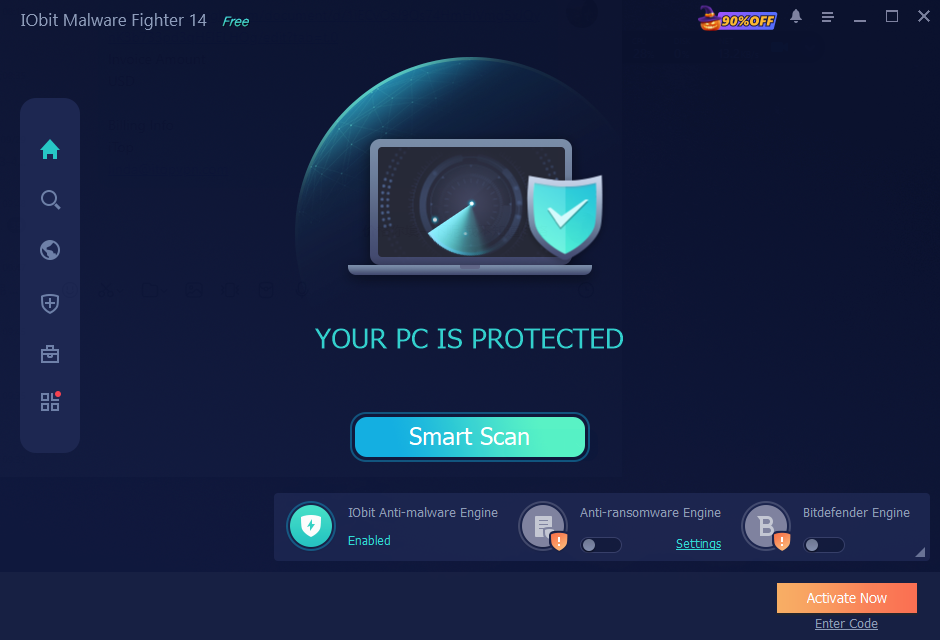
IObit Malware Fighter is an all-in-one antivirus and anti-malware security solution, designed to protect computers against viruses, spyware, ransomware, Trojans, and other online threats. It leverages three powerful engines to deliver maximum PC protection against viruses, malware, and ransomware attacks, including the Bitdefender Engine, the IObit Anti-Malware Engine, and the IObit Anti-Ransomware Engine. One of the standout features of this tool is Safe Box, which provides an additional layer of security for users who want to keep their sensitive files and folders protected. It allows users to store important data in a secure space and prevent unauthorized access, helping safeguard personal documents, photos, and videos.
Part 2: How Does Safe Box Feature Work?
The Safe Box feature in IObit Malware Fighter provides a protected space to store sensitive files and folders. It allows users to add important data to Safe Box and secure it with a password, helping prevent unauthorized users from accessing, modifying, or deleting those files. Here are the types of files users can add to Safe Box:
- Store confidential documents, PDFs, Word files, and other important records containing personal information.
- Users can protect financial records with IObit Malware Fighter, including bank statements, tax documents, and payment records.
- Millions of users use their PCs to store their personal photos and videos. However, leaving these files unprotected can expose them to unauthorized access. With the Safe Box feature, you can protect them with a password.
Part 3: Amazing Features and Capabilities of IObit Malware Fighter
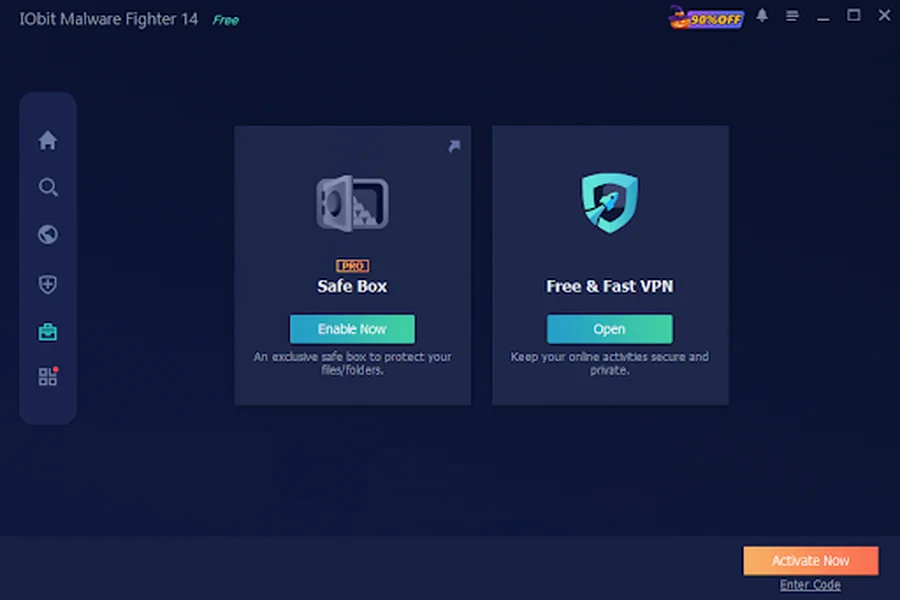
Apart from the Safe Box feature, IObit Malware Fighter offers several powerful security feature and capabilities designed to provide protection against different styles of types of cyber threats. Here are some of its notable features and capabilities:
- Triple Engine Protection: The program leverages three powerful engines to deliver comprehensive protection against different types of cyber threats. These include the Bitdefender Engine, IObit Anti-Malware Engine, and IObit Anti-Ransomware Engine.
- Smart Script Safeguards (AI Script Guard): Going beyond traditional executable file scanning, the newly introduced AI Script Guard provides proactive, real-time protection against advanced threats. It detects and blocks malicious dynamic scripts deployed by AI agents before they execute, strengthening your PC’s defense against evolving script-based attacks.
- Detect Multiple Viruses: IObit Malware Fighter is designed to detect and eliminate various types of viruses, including spyware, adware, worms, keyloggers, Trojans, ransomware, and more.
- Powerful Browser Protection: One of the standout features of this tool is that it delivers comprehensive browser defense, including anti-tracking, download guard, DNS protection, homepage protection, and real-time browsing protection.
- 9 Security Guards: IObit Malware Fighter reinforces your PC security with nine dedicated security guards, such as File, Network, Startup, Process, MBR, Camera, USB, Behavior, and Browser Password Guard.
- Intuitive Interface: The best part of IObit Malware Fighter is that it offers an easy-to-use and beginner-friendly interface, allowing non-tech and beginner users to navigate its different features without requiring advanced technical knowledge.
Part 4: How to Use the Safe Box Feature in IObit Malware Fighter
While the free antimalware version provides essential protection against viruses and malware, the IObit Malware Fighter Safe Box feature enables users to protect their sensitive files and folders by placing them in a secure, password-protected space. Here is how to do it:
- Go to the IObit Malware Fighter official site and download the latest version of the program on your PC. Once the download is complete, install the software and launch it.
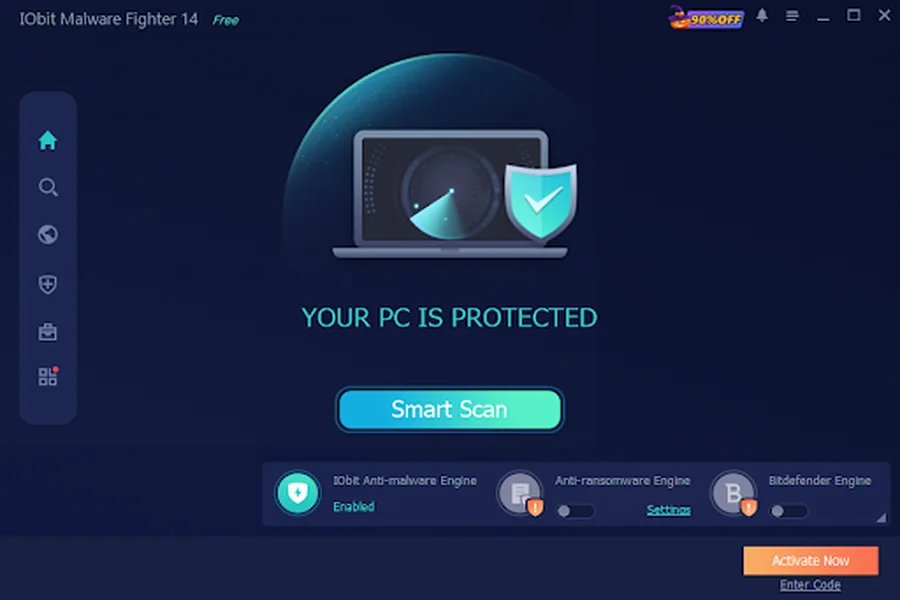
- Next, select the “Tools” option from the left panel and select the “Safe Box” feature. This will open the Safe Box interface, where you can configure your security settings and add files or folders for protection.
- Now, create a password and confirm it to secure your private data. Click the “Add File” or “Add Folder” option and add the documents, photos, and videos you want to protect using the Safe Box feature.
Part 5: FAQs Related to IObit Malware Fighter
-
Is IObit Malware Fighter a free antimalware tool to use?
Yes, IObit Malware Fighter offers a free version that enables users to scan their computers for malware and viruses and provides basic security protection without any cost.
-
Can I Add Multiple Files to Safe Box?
Yes. Users can add multiple files and folders to Safe Box, allowing them to protect different types of sensitive data in one place. This makes it easier to manage and secure important information without moving files individually.
Final Thoughts
In 2026, protecting sensitive personal information has become more important than ever, as cyber threats and unauthorized access continue to put private data at risk. IObit Malware Fighter addresses this concern with its Safe Box feature, allowing users to secure important files and folders in a password-protected space. Combined with advanced security mechanisms like the new AI Script Guard, it offers robust and all-around protection. The best part is that the feature is easy to use, making it suitable for both beginners and professional users.